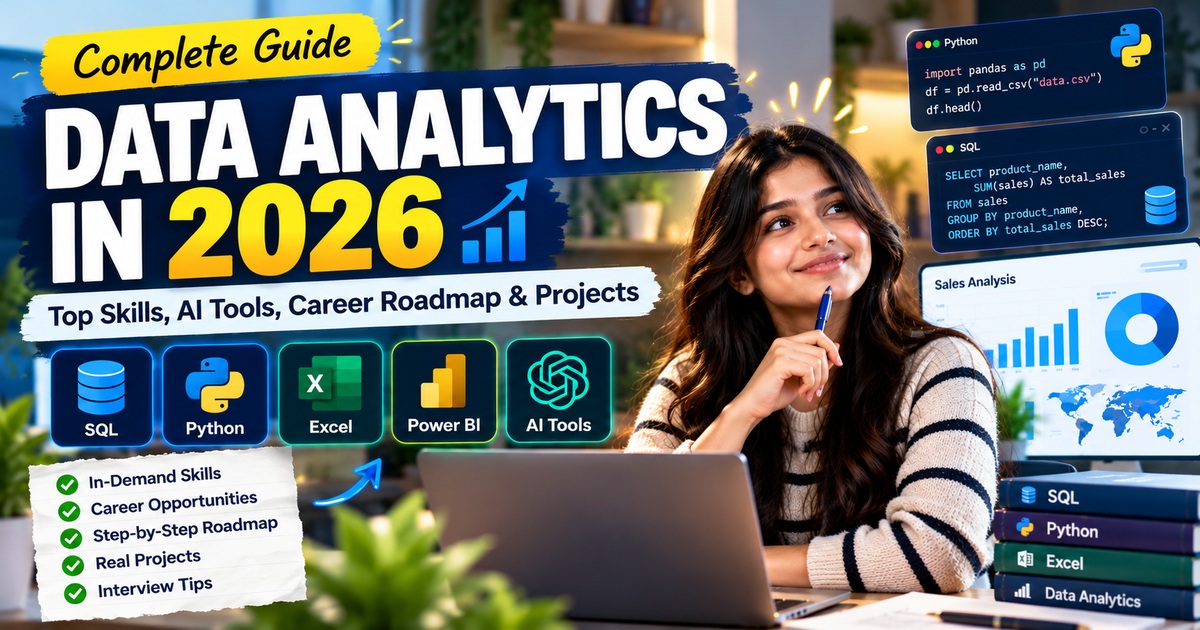
Data Analytics in 2026: Top Skills, AI Tools, Career Roadmap and Projects
The world of data analytics is evolving rapidly. Businesses generate enormous amounts of data every day, but data alone cannot solve business problems. Organisations need people who can collect, clean, analyse and interpret information to make better decisions.
In 2026, data analytics is increasingly connected with Artificial Intelligence (AI), automation, business intelligence and data-driven decision-making. For students, fresh graduates and working professionals, learning practical data analytics skills can be a valuable step towards building a career in technology and business.
But what should you learn first? Is Python enough to become a data analyst? Do companies still use Excel and SQL? How can beginners build projects without professional experience?
This guide answers these questions and provides a practical roadmap for learning data analytics in 2026.
What Is Data Analytics?
Data analytics is the process of examining data to identify patterns, understand performance, discover opportunities and support decision-making.
For example, an e-commerce company may analyse its sales data to discover:
- Which products generate the most revenue.
- Which marketing campaigns bring more customers.
- Why sales declined in a particular month.
- Which customers are most likely to purchase again.
- How inventory can be managed more efficiently.
A data analyst transforms raw information into meaningful insights using tools such as Excel, SQL, Python and business intelligence platforms.
Data analytics is used across industries, including banking, healthcare, retail, education, logistics, manufacturing and digital marketing.
Why Is Data Analytics Important in 2026?
Companies increasingly rely on measurable results rather than intuition alone. They need professionals who can interpret information, automate repetitive tasks and communicate findings clearly.
Several developments are shaping the field.
1. Artificial Intelligence and Generative AI
Generative AI tools can assist with writing SQL queries, explaining Python code, summarising datasets and generating initial ideas for visualisations.
However, AI-generated results must be checked. Incorrect assumptions, faulty calculations and misleading interpretations can still produce unreliable conclusions.
The most useful approach is to learn data fundamentals and then use AI to improve productivity.
2. Business Intelligence and Interactive Dashboards
Businesses need reports that make performance easy to understand. Tools such as Microsoft Power BI and Tableau help analysts transform datasets into interactive dashboards.
A useful dashboard might show revenue, profit margins, customer growth, regional performance and monthly trends.
The real value comes from choosing the right metrics and explaining what they mean.
3. Automation and Reproducible Analysis
Manual reporting can consume hours every week. Python scripts, SQL queries and spreadsheet automation can reduce repetitive work and improve consistency.
Analysts who can build repeatable workflows may be better equipped to handle larger datasets and recurring business reports.
4. Data Storytelling
Numbers do not automatically lead to better decisions. Analysts must explain what happened, why it matters and what action a business could consider.
Clear communication is therefore an important complement to technical skills.
Top Data Analytics Skills to Learn in 2026
There is no single tool that every analyst must master. The best combination depends on the role, industry and employer. Nevertheless, the following skills provide a practical foundation.
1. Microsoft Excel
Excel remains useful for organising, cleaning, calculating and summarising structured data.
Start with these topics:
- Sorting, filtering and data validation.
- IF, SUMIF, COUNTIF and related formulas.
- XLOOKUP and lookup techniques.
- Text and date functions.
- Removing duplicates and handling missing values.
- PivotTables and PivotCharts.
- Conditional formatting.
- Building clear reports and dashboards.
Beginner project: Create a sales report showing total revenue, best-selling products, monthly trends and regional performance.
2. SQL
SQL, or Structured Query Language, is used to retrieve and analyse data stored in relational databases.
Data analysts often need to combine tables, calculate aggregates and filter results to answer business questions.
Important SQL topics include:
- SELECT and DISTINCT.
- WHERE and filtering.
- ORDER BY and LIMIT.
- Aggregate functions such as COUNT, SUM, AVG, MIN and MAX.
- GROUP BY and HAVING.
- INNER JOIN and LEFT JOIN.
- CASE expressions.
- Subqueries and Common Table Expressions (CTEs).
- Window functions such as ROW_NUMBER, RANK and LAG.
For example, the following query calculates revenue by product:
SELECT
    product_name,
    SUM(quantity * unit_price) AS total_revenue
FROM sales
GROUP BY product_name
ORDER BY total_revenue DESC;
This query groups sales records by product, calculates revenue and ranks products from highest to lowest revenue.
Beginner project: Analyse an e-commerce database to identify top-selling products, high-value customers and monthly revenue trends.
3. Python for Data Analysis
Python is a versatile programming language used for data cleaning, automation, statistical analysis and machine learning.
Beginners should learn:
- Variables and data types.
- Conditional statements and loops.
- Functions.
- Lists, tuples and dictionaries.
- File handling and exception handling.
- Basic problem-solving.
- NumPy for numerical operations.
- Pandas for data manipulation.
- Matplotlib or Seaborn for visualisation.
For example, Pandas can calculate average sales by product category:
import pandas as pd

df = pd.read_csv("sales.csv")

summary = (
    df.groupby("category")["sales"]
      .mean()
      .sort_values(ascending=False)
)

print(summary)
This example assumes the CSV contains category and sales columns. It groups the data by category and calculates average sales for each group.
Beginner project: Clean a messy CSV file, handle missing values, calculate key metrics and produce charts that explain the findings.
4. Power BI or Tableau
Business intelligence tools allow analysts to create interactive reports and communicate findings to stakeholders.
For Power BI, focus on:
- Importing data from multiple sources.
- Power Query for data transformation.
- Relationships and data modelling.
- Measures and calculated columns.
- DAX fundamentals.
- KPI cards, charts and slicers.
- Dashboard design and performance.
Choose one BI tool first rather than trying to learn every platform simultaneously.
Beginner project: Build an interactive sales dashboard with revenue, profit, product categories, regions and monthly performance.
5. Statistics and Analytical Thinking
Statistics helps analysts determine whether a pattern is meaningful and how much confidence to place in a result.
Useful fundamentals include:
- Mean, median and mode.
- Percentages and ratios.
- Variance and standard deviation.
- Probability.
- Correlation.
- Sampling.
- Basic hypothesis testing.
- Interpreting distributions and outliers.
You do not need to begin with advanced mathematics. Focus on understanding how statistical concepts help answer real questions.
6. Generative AI and AI-Assisted Analysis
AI tools can support several analytical tasks:
- Drafting SQL queries from business questions.
- Explaining unfamiliar code.
- Suggesting data-cleaning steps.
- Generating Python code for routine transformations.
- Summarising trends for a report.
- Brainstorming dashboard layouts.
- Creating initial documentation.
Treat AI as an assistant, not an unquestioned source of truth. Test queries, verify calculations, inspect edge cases and protect confidential data.
A strong analyst understands the underlying logic well enough to identify when an AI-generated answer is wrong.
Data Analyst vs Business Analyst vs Data Scientist
These job titles overlap, but their typical responsibilities differ.
Data Analyst
A data analyst examines datasets, prepares reports, creates dashboards and answers questions about business performance.
Common tools include SQL, Excel, Python and Power BI.
Business Analyst
A business analyst focuses on business processes, requirements, stakeholder communication and potential improvements. Some roles also involve reporting and data analysis.
Data Scientist
A data scientist typically works more deeply with statistical modelling, experimentation, predictive methods and machine learning. The exact requirements vary considerably by role.
For beginners interested in business data, starting with Excel, SQL, analytical thinking and visualisation is a practical approach before specialising further.
How to Become a Data Analyst in 2026: A Beginner Roadmap
You do not need to learn every tool at once. Follow a structured plan and build evidence of your skills as you progress.
Month 1: Learn Excel and Data Fundamentals
Practise formulas, data cleaning, PivotTables and charts. Learn how to turn a spreadsheet into a concise report.
Goal: Complete one Excel-based analysis project.
Month 2: Learn SQL
Study filtering, sorting, aggregate functions, joins and subqueries. Progress to GROUP BY, HAVING and window functions.
Write queries against realistic datasets rather than memorising syntax alone.
Goal: Solve SQL practice questions and complete a database analysis project.
Month 3: Learn Python
Understand programming fundamentals, then move to Pandas, data cleaning and visualisation.
Practise reading files, transforming columns, handling missing values and summarising data.
Goal: Complete one Python data-analysis project.
Month 4: Learn Power BI and Build a Portfolio
Create an interactive dashboard and practise explaining your findings.
Combine your Excel, SQL and Python work into a portfolio that demonstrates different analytical abilities.
Goal: Publish projects with clear problem statements, methods, findings and recommendations.
This four-month plan is a suggested learning structure, not a guarantee of job readiness. Your progress will depend on your starting level, study time and the depth of your projects.
Five Data Analytics Projects for Beginners
Projects help you demonstrate how you apply your skills to real problems. Start with publicly available or synthetic datasets and explain the decisions you make.
Project 1: E-commerce Sales Analysis
Tools: Excel or SQL
Analyse orders, products, quantities and prices.
Questions to answer:
- Which products generate the most revenue?
- Which months have the strongest sales?
- Which regions perform best?
- What percentage of revenue comes from the top products?
Project 2: Customer Segmentation
Tools: Python and Pandas
Group customers using available purchasing information.
Explore purchase frequency, average order value and total spending. Explain how different customer groups might require different marketing approaches.
Project 3: Interactive Business Dashboard
Tools: Power BI
Build a dashboard with revenue, profit, sales volume and category-level comparisons.
Use clear labels, consistent formatting and filters that answer meaningful business questions.
Project 4: Employee Data Analysis
Tools: Excel, SQL or Python
Use a suitable public or synthetic dataset to examine workforce patterns.
Possible questions include average tenure, department-level headcount and changes in employee numbers over time. Avoid making unsupported conclusions about the causes of employee turnover.
Project 5: AI-Assisted Data Cleaning
Tools: Python and a Generative AI assistant
Choose a dataset with inconsistent dates, missing values or duplicate records.
Document the problems, use Python to apply cleaning rules, validate the resulting dataset and explain where AI helped. Include checks that demonstrate the cleaned data is reliable.
Portfolio tip: For every project, include the objective, dataset source, tools, methodology, key findings, limitations and recommendations. A well-explained project is more informative than a list of technologies alone.
How to Practise SQL, Python, Excel and Data Analytics
Reading tutorials provides useful background, but practical exercises help you discover what you understand and where you need more practice.
A balanced routine can include:
- Learn one concept and understand why it is used.
- Solve short questions without immediately checking the answer.
- Write code or formulas to apply the concept.
- Review mistakes and understand the correct solution.
- Apply the concept to a small project.
- Revisit difficult questions after a few days.
For SQL, practise writing queries against tables. For Python, predict program output and write short functions. For Excel, work with realistic spreadsheets. For data analytics, interpret charts and explain business findings.
LogicByte provides a place to practise SQL, Python, Excel and Data Analytics questions. Use practice sets to strengthen individual topics and timed mock tests to assess your progress.
Explore the relevant practice sections on LogicByte and select questions that match your current level.
Common Mistakes Beginners Should Avoid
Learning too many tools simultaneously
Trying to master Python, SQL, Excel, Power BI, Tableau and machine learning at the same time can make progress difficult to measure.
Learn a core skill, apply it in a project and then expand.
Memorising code without understanding it
A query or script that works for one example may fail when the data changes.
Learn why each operation works, what assumptions it makes and how to test the result.
Depending entirely on AI
AI can accelerate learning, but copying code without understanding it leaves you unable to troubleshoot or explain your work.
Use AI-generated answers as material to inspect and verify.
Building projects without explaining the findings
A dashboard full of charts is not enough. Explain the question being investigated, the important result and the action the evidence supports.
Ignoring communication
Analysts frequently need to explain findings to people who do not write code. Practise communicating insights in simple, precise language.
Frequently Asked Questions
Is data analytics a good career option in 2026?
Data analytics can be a worthwhile career path for people who enjoy problem-solving, working with information and supporting decisions. Opportunities and requirements vary by location, industry, experience and employer, so research current job descriptions before choosing a specialisation.
Can I learn data analytics without a computer science degree?
Yes. Many foundational skills can be learned independently through structured study and practice. However, employers may have specific educational requirements, and you will still need to demonstrate analytical ability and practical skills.
Should I learn SQL or Python first?
For many aspiring data analysts, SQL is a useful starting point because it teaches you to retrieve and summarise structured data. Python is a strong next step for automation, data cleaning and more flexible analysis. Your preferred order can depend on your existing experience and target roles.
Is Excel still useful for data analysts?
Yes. Excel is effective for spreadsheet analysis, quick calculations, reporting and business workflows. Its usefulness depends on the task, and it often complements SQL, Python and BI tools rather than replacing them.
Can AI replace data analysts?
AI can automate or accelerate some analytical tasks, but reliable analysis still requires defining the right question, checking data quality, validating results and understanding business context. Learning to use AI responsibly alongside core analytical skills is a practical strategy.
How many projects should a beginner build?
Start with two or three well-documented projects that demonstrate different skills. A SQL project, a Python analysis and a BI dashboard can provide a useful foundation. Prioritise quality and clear reasoning over the number of projects.
How can I prepare for a data analyst interview?
Review SQL joins, aggregations and window functions; Excel formulas and PivotTables; Python data manipulation; basic statistics; and dashboard interpretation. Practise explaining your project decisions and solving problems under realistic time constraints.
Final Thoughts
Data analytics in 2026 combines technical skills, analytical reasoning, communication and increasingly AI-assisted workflows.
For beginners, a practical starting point is Excel, SQL, Python and one business intelligence tool. Add statistics, data storytelling and responsible AI usage as your skills develop.
Most importantly, learn by doing. Solve problems, build projects, check your results and practise explaining what the data means.
Ready to improve your skills? Explore SQL, Python, Excel and Data Analytics practice on LogicByte, work through topic-based questions and use mock tests to identify areas for improvement.
Your next step is not to learn every tool. It is to solve your next data problem with confidence.